

Messages directly to your customers' phones
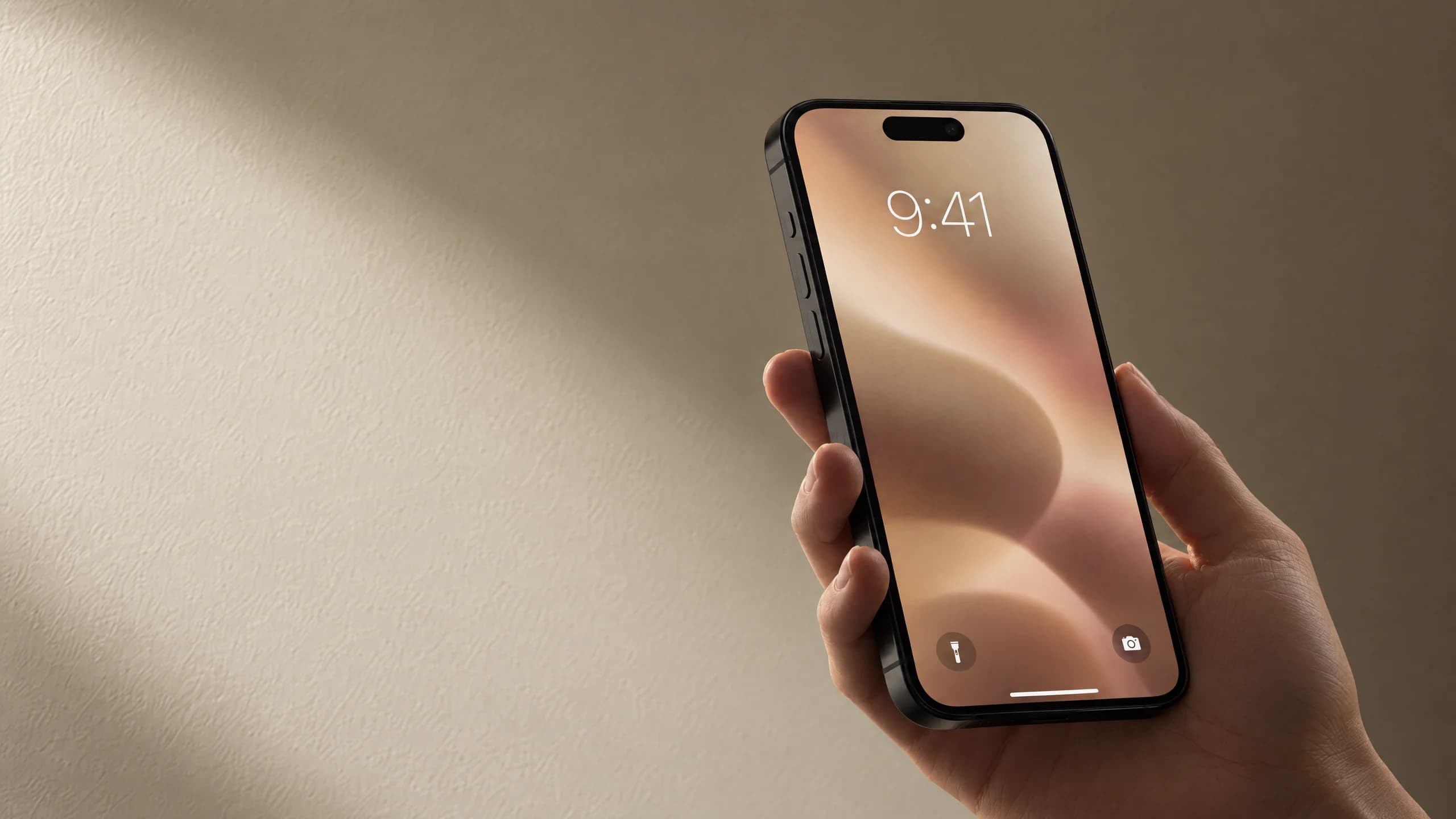
The card in your customer's wallet is also a way to reach them. Send a message to the lock screen, a newsletter to those who said yes, or switch on automatic messages. No cost per message.
Messages directly to your customers' phones.
- A lock-screen note with every stamp
- The membership comes up near your shop
- Your own messages, no cost per message
- Send to new members, regulars or lapsed ones
How it works
The customer joins
Once the card is in the customer's wallet, you can write to their lock screen. If they want emails too, they say yes when they join.
Switch on the automatic ones
Eight automatic messages, from a welcome and a birthday to a hello when a customer hasn't been in for a while. You pick which, and whether they go to the phone, by email or both.
Write your own
Send a lock-screen message or a newsletter when you have something to say: fresh bread, an offer, new opening hours.
See who came in
You see how many people the message reached, and how many came by and got a stamp afterwards.
What comes with it
On the lock screen
The message shows on the customer's lock screen through the card in their wallet. At most one a day per member, so it stays welcome.
With every stamp
Every stamp brings a small note on the lock screen saying how far the customer has got.
Near your shop
The membership comes up on the lock screen when the customer is near your shop. On iPhone with your own words.
Newsletters
A heading, text, a picture and a button. One a week, only to those who said yes, and anyone can unsubscribe in one click.
Pick who gets it
Everyone, new members, regulars, those close to a reward, or those who haven't been in for a while.
No cost per message
Messages and newsletters come with Klipz at no extra cost, as long as your account is active.
Eight automatic messages
Switch them on one by one. Each can go to the phone, by email or both. There is ready-made text in Danish and English, and you can write your own.
Welcome and win-back
- WelcomeEmail
To new members in their first week.
- Win-backPhone
When a member hasn't been in for 30 days. You choose the number of days.
Stamps and rewards
- Stamp milestonePhone
When a member reaches a number of stamps you choose.
- Almost therePhone
When one stamp is left before the reward.
- Reward waitingPhone
When a reward has waited a week without being used.
- Thank youEmail
Shortly after a member has used a reward.
Special days
- BirthdayEmail
On the member's birthday, if they shared it with you.
- Club anniversaryEmail
A year after the member joined.
The tag shows where the message starts. You can change it for each one. The same member gets the same automatic message at most once a month. The birthday comes once a year.
Newsletters by email
For what needs more room than a lock-screen message: a new menu, a seasonal item, an event.
What you write
A subject, a heading, text, a picture and a button with a link.
To those who want it
Only to members who have confirmed their email and said yes to news from you. Send to everyone or to a group, such as your regulars.
One a week
You can send one newsletter a week, so it stays worth opening.
Unsubscribe in one click
Every email has a link to unsubscribe, and email apps show an unsubscribe button.
What you can see
How many got it, how many clicked, and how many came by and got a stamp within a week.
The automatic ones by email
Welcome, Thank you, Birthday and Club anniversary start by email. They only go to members who said yes to emails.
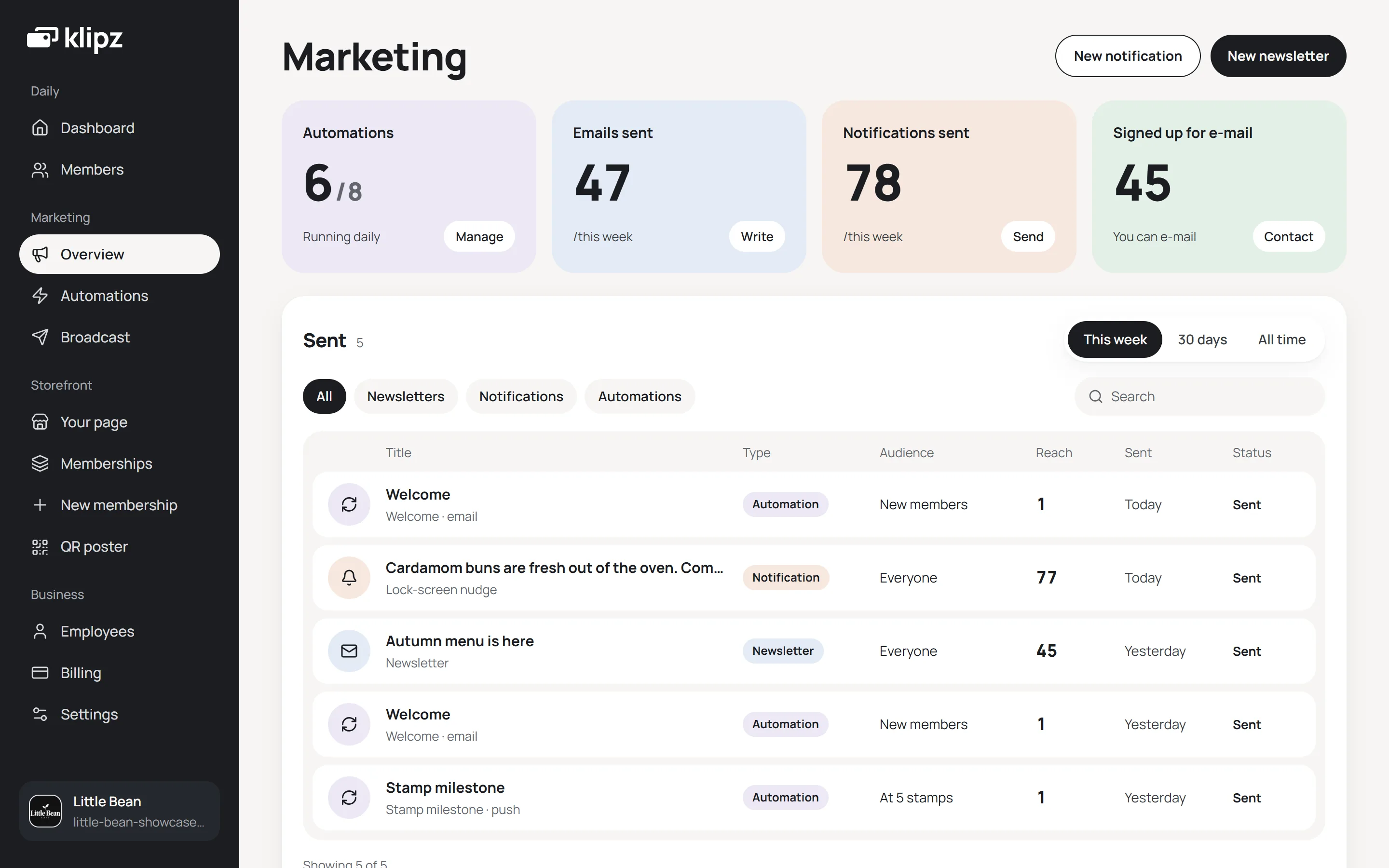
In your dashboard
Under Marketing you see your automatic messages, what you have sent and how many it reached.
Questions and answers
Does sending messages cost anything?
How many messages can I send?
Do you send text messages?
Who gets emails?
Can I write my own text for the automatic messages?
Are the automatic messages on from the start?
Can the customer turn the messages off?
Start your club in five minutes
Create your club, pick what the reward should be, and download the QR stand as a PDF. You don't need to enter card details to get started, and there is no subscription.